Bringing Warrior Epic back from the dead, one packet at a time
Warrior Epic's servers went dark around 2010. These are my running notes on building a local server so the original client can be played again, offline.
Contents
2026
October
- 13. The 3D lobby that wouldn't load
- 12. The town server and a config line that cost me hours
- 11. Finding a lobby
- 10. The data server: "Waiting for data server"
- 9. "You dropped from the interface server"
- 8. Logging in
- 7. Silence in the sandbox
- 6. The patcher wall
- 5. PSIP and the Interface Server
- 4. Learning the transport (PSDash)
- 3. Redirecting the client
- 2. Recon: what is actually in the box?
- 1. Ground rules
Warrior Epic was an online action RPG by Possibility Space. Its servers went dark around 2010, and the client stops at "Connecting to IS..." forever. I still had the installer, so I set out to build a small local server that tells the original client what it wants to hear, so I can play it alone, offline. I want to change the client as little as possible.
My main tool was Claude Code (Anthropic's Claude) running on my PC. I used it for the grind: disassembling the client, decoding binary formats and protocols, drafting the server code, and going through logs and memory dumps after each test run. It made a project like this realistic to do in my spare time.
The finish line is simple: start a mission (the first one is the Ruins of Aberas, "A Sea Dog's Treasure"), fight through it, beat it and collect the rewards. Since it's no longer an MMO, I also want to adjust the damage and the multipliers for solo play, and make the rewards generous enough that progression feels good on my own.
These are my notes, newest first. Each chapter covers what I tried, what broke and what finally worked.
Things I've learned so far
- AI tooling pays off on this kind of job. Claude Code handled the bulk reading of disassembly, binary layouts and hex dumps, and kept my notes (
RECON.md,PROTOCOL.md,CHANGES.md) current. That let me focus on direction, testing and intuition. My hunch that the lobby needed a real instance behind it turned out to be the key. - Logs first, screenshots second. The client's own trace and error logs, plus my stub's hex dumps, explained almost everything.
- Read the memory. Full memory dumps and a tiny breakpoint logger beat hours of guessing from disassembly.
- Suspect your own config. The single hardest bug was a config line I added myself on day one.
- Keep patches tiny and logged. So far: one 5-byte exe patch and three in-memory patches, each documented and easy to undo. The in-process server host adds no patches to game code beyond a few hooks, all in one small DLL.
- Ship what the game already has. The best "server" turned out to be the original one, already on disk.
- Don't trust a name, even a file name. Two icons and one variable sent me the wrong way on something the person playing the game could see at a glance.
- Log both ends of a pipe. Comparing what the server sent with what the game received found two bugs in one evening, one of which I had written myself an hour earlier.
To be continued...
Latest
24. Whose name is it anyway, and which coin is gold?
Playing as a real new player showed how much of the hall was still a stage set. Everyone in a room was called "Player", because I had hard-coded it, and the hall called me "a" for the same reason. The name you type was sitting in the login message all along.
Then the money. Gold wasn't going up after missions, the blue coin was, and I confidently explained that this was correct: gold was the paid currency, the code said realmoney. The owner of the save disagreed, and was right about the part that mattered. The game's text says everything in the shop costs gold, and the mission result has a field called goldbonus. The icon files had fooled me: the one named money-new_blue is a gold coin, and money-purple is the blue one. Mission gold now goes to the gold coin. Blue, which the game calls Prestige Points, only gets the small prestige value from each mission.
The shop came last. Buying gear, upgrading skills, adding rooms and decorating the war room all looked like they worked and then did nothing, because my server answered "ok" without sending back what the game needed. Those replies are now written, with prices and skill costs read from the game's own files. Like the gold fix, they pass my checks but haven't been played yet, so that's the next test.
23. A real new player
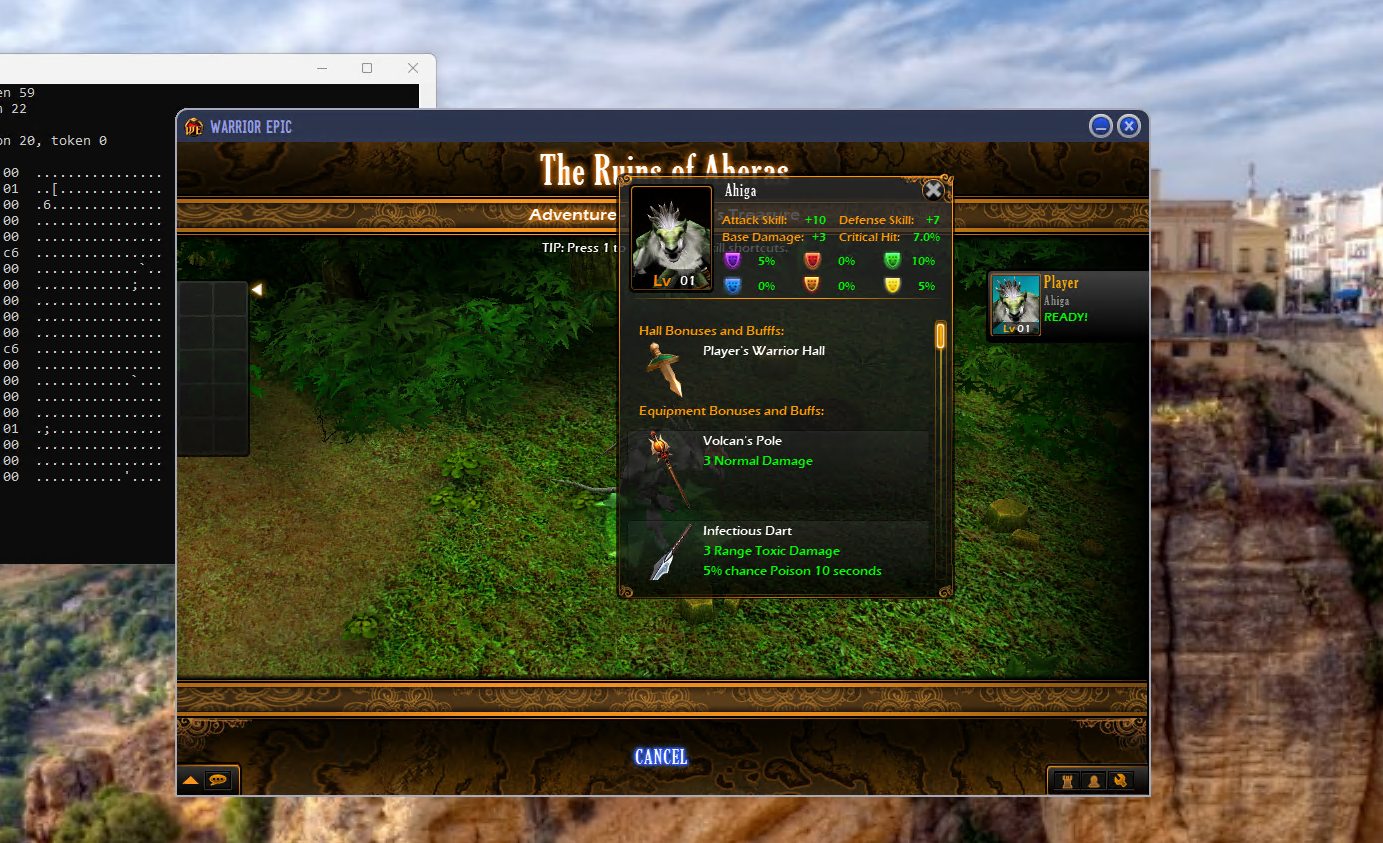
To get into the menus I had once mocked a first warrior: with an empty roster the game shows "data server unavailable" forever. It turned out that warrior was also invisible in the Barracks, because I had built its id with a base type that doesn't exist.
The game has a proper first run hiding behind one number. With novice set to 1 and a real Pit Fighter on the account, logging in plays the intro by itself ("Once, a great Empire spanned our continent..."), creates a room and picks the Beginnings campaign. A lone warrior walks to Providence, and that's the tutorial. I expected a "pick a hero" screen, but this build has none: everyone starts with the Pit Fighter and recruits the rest in town.
The first run through it ended in a loop. I extracted, got my level and my rewards, and landed straight back in the intro. The game only retires a new player when the tutorial's campaign has moved past stage 0, and my server never moved it. One more field in the reply, and the Advisor finally said hello.
22. Lighting up the war room
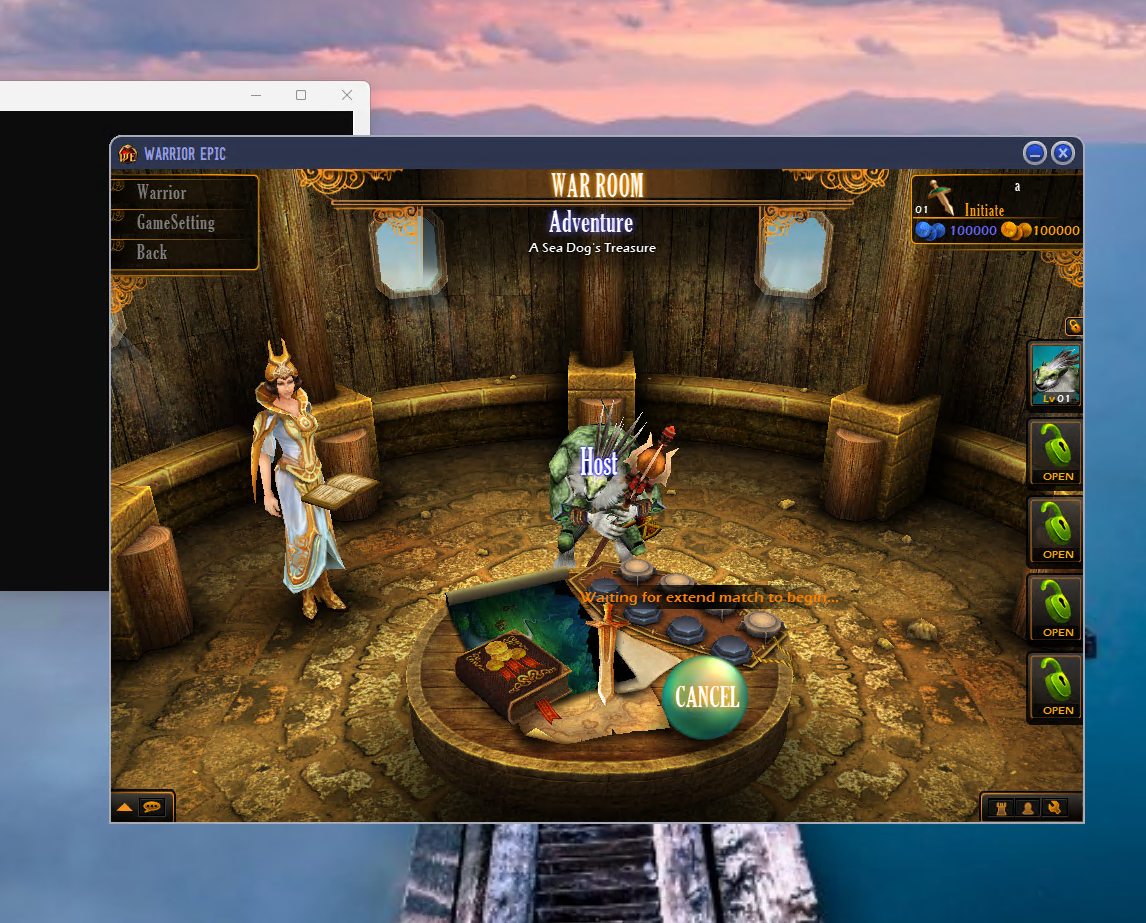
The game room had always been a black void with a table floating in it. The game's error log had one line about it: "room part number is not right". The room is built from 11 parts (table, floor, walls, background, columns), and my save listed none. The original server filled them in from WarRoomDefault.cfg, so now my stub does too, and the ship's cabin appeared around the table.
21. The end of the mission
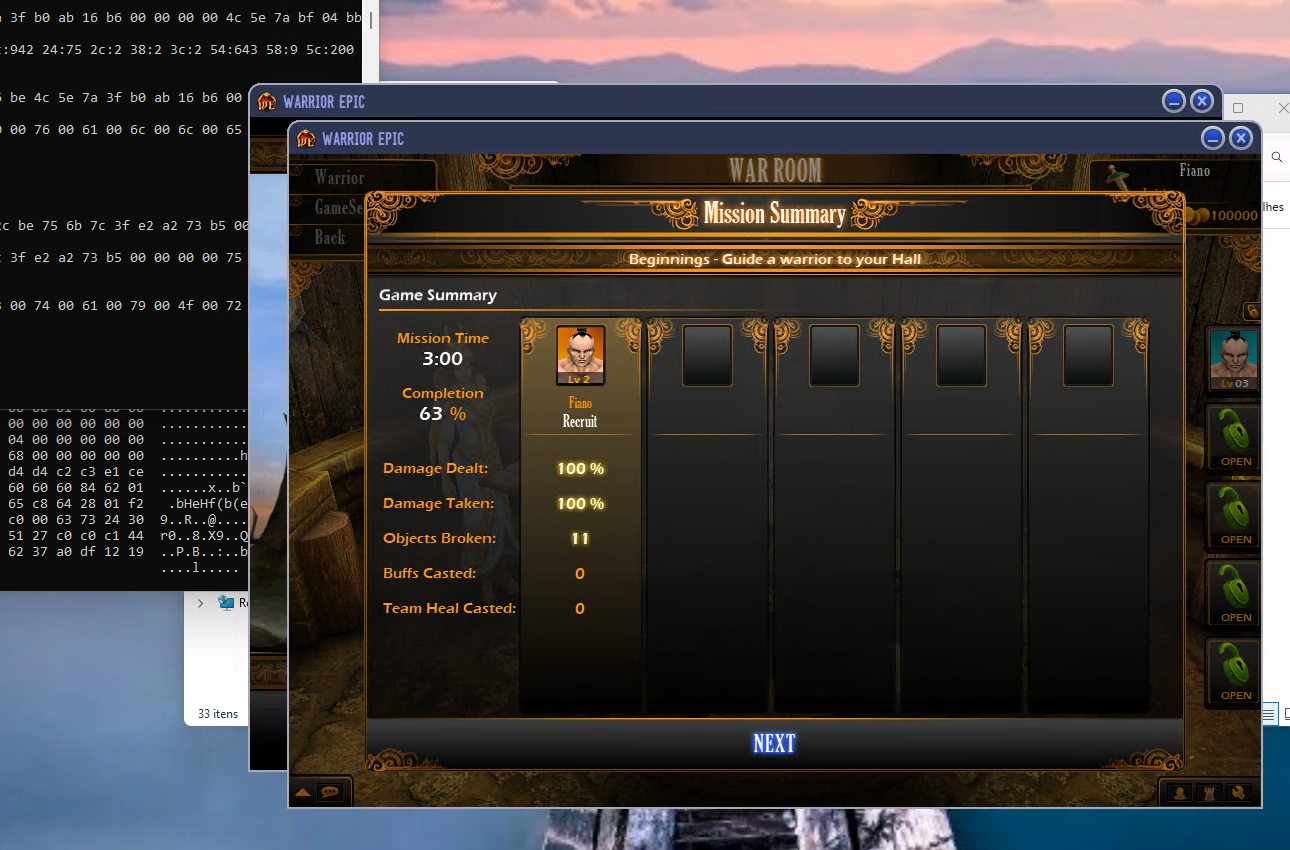
Reaching the extraction point and choosing to leave runs the game's own script (quest.worldextract). The server records me as extracted and then waits. In the original setup, the dedicated game server program collected the results from the world. That program was never shipped, so nobody collected them. The world has a second path for games hosted by a player, which sends the results itself, and my host now calls it as soon as someone extracts.
The result now reaches my game, which forwards it to the data server: VICTORY, 631 gold, 631 experience, one piece of equipment and the per-player stats. The game stayed in the dungeon anyway. It turned out both missing pieces were one: the data server's reply. The game applies the new gold and experience from that reply, and the same reply is what makes it leave the mission and open the results screen. My stub only said "ok". It now stores the rewards, works out level-ups from the game's own tables and answers in full.
20. Lost in the post
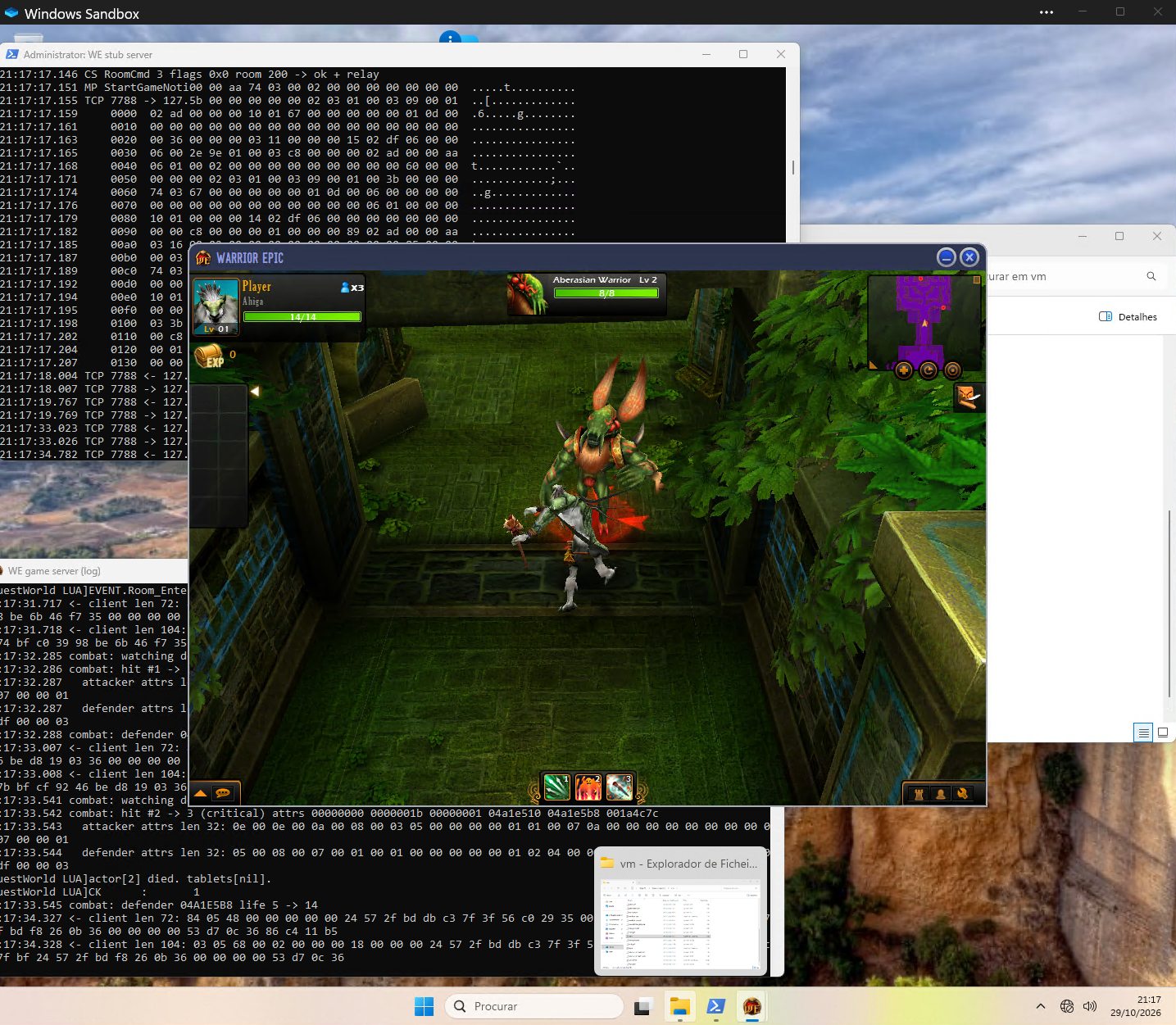
The first time I played Aberas from start to finish, everything worked on the server: doors opened, monsters died, the quest ran to its end and paid out its reward. On my screen, monster health bars never moved and nothing died. I could only see the kills in the server's log.
A probe showed my game never even loads its combat module, so it predicts nothing: every hit and every death has to come from the server. So I logged every message the server tried to send and every one my game received. The combat results (message 0x0506) left the server and never arrived. The session layer sends them in a second frame format, a whole message behind a 9-byte header. I had read that header as "piece 1 of a bigger message" and was waiting forever for the rest. Reading the session's send routine showed the two fields are counters, not sizes.
Fixing that brought the health bars to life, along with a new bug: monsters now dropped dead on my screen while they were still alive and hitting me. Each result was arriving twice. The server sends every player a private copy, then a second copy "to everyone else", whose recipient list is empty in a solo game. I had just started delivering that one too. Putting the old rule back ("an empty list means nobody") fixed it. Combat now works properly, even kiting.
19. The first kill
Attacks played, but nothing ever got hurt. Probes in the server told the story one layer at a time:
- Hit resolution was reached and followed the game's own formula (
HitExpression.script: attack skill vs defense, level difference). The server's copy of my warrior had the right stats. - Monsters lost life and died on the server; the quest script even logged
actor[1] died. My screen never heard. - One reason was mine: the server batches several updates into one frame, and the game's input routine takes one update per call, so my DLL was dropping the rest.
- The real one: the server sends monster events only to the room's host. The original host program set that with a single call; without it the host id was random memory, and every monster event went to nobody.
With the host set to me, a monster finally fell over on my screen. Next: the server instance stops updating about a minute into a fight, and the plan is still to turn it into a console program instead of a second game window.
18. Gear, skills and a second game process
In the dungeon I could walk, but not attack, and the skill bar was empty. The save gave every warrior empty equipment and skill lists. The real data server filled them on recruit from the game's own files: each class's .base lists its StartingEquipment and StartingSkill, and gamedatabase.cfg turned out to be the id table (type << 24 | n << 12 | class). A small script now builds that table, and the stub hands the gear out. The skill bar filled up.
Combat still didn't land, enemies chased me without swinging, and a summoned creature T-posed. Every bug so far had the same root: the server code ran inside my game process and shared its modules. The original dedicated server program was never shipped, but the server code needs the engine around it, and that engine lives in the game exe. So now a second copy of the game logs in by itself, waits minimized in the hall and hosts the server world. The game I play talks to it over a local socket. The shell even has a debug switch for running twice (multishell). The summon got its animations back on the first try.
17. The loading screen, then Aberas
With that in place, the server built "Treasure of Captain Jack" and streamed the dungeon file to the client. The client generated the same dungeon (41 rooms) and, for the first time in this project, showed something of the actual game: the mission loading screen.
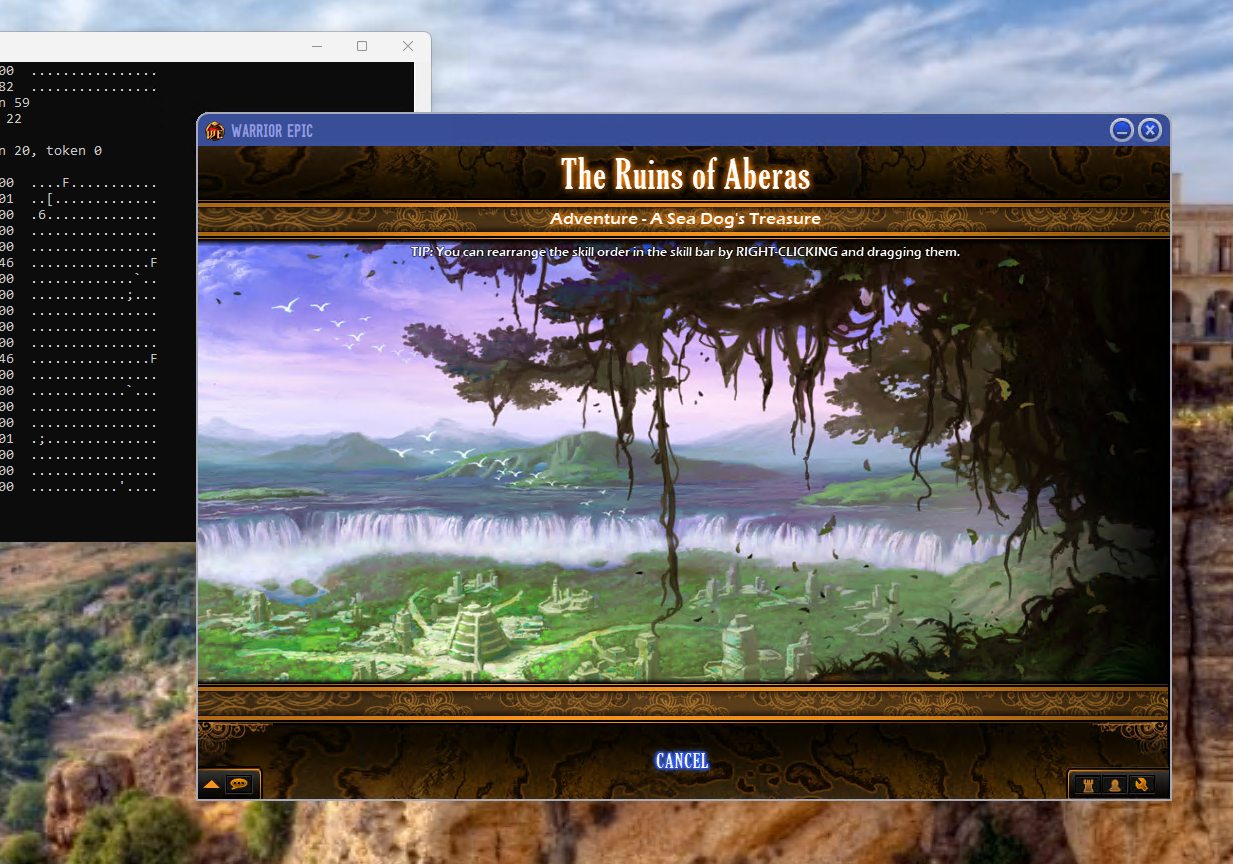
One last bug was mine. My sender delivered "send to everyone except the owner" frames to the owner, so the client created my hero as a remote player and asserted on pLocalWarrior. Registering the connection with the world (another host-side call, AddConnection) made the server send the private "this one is you" copy.
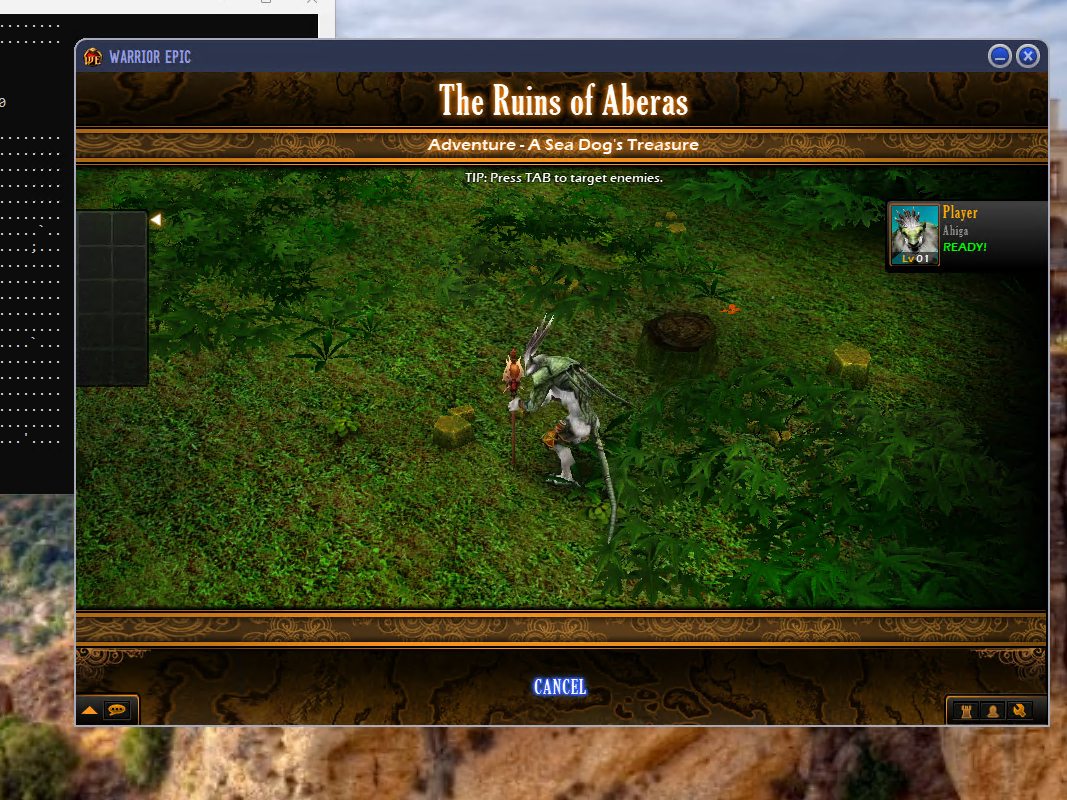
That's the first in-game screen since the servers went dark.
16. Hosting the real game server inside the client
The game logic ships with the client. WEServerWorld.dll is the actual server world: dungeon generation, quests, AI, combat. So instead of writing a game server, I host the original one in-process.
I wrote a small DLL (host/wehost.c, built with the Visual Studio C++ workload). It's injected into the game, only in the sandbox. It does the following:
- creates
WEServerWorldthrough the client's own module loader; - intercepts the client's game orders;
- feeds the orders to
ServerWorld::ProcessMessage; - gives the server a fake "network sender" that hands its frames straight back to the client.
No sockets are involved; everything is a function call.
It took a string of discoveries, each one a missing call that the original server host used to make:
- Finding the login. It didn't go through either of the shell's send functions I hooked. It goes through the
OrderDispatchermodule's "to server" callback. Swapping that one function pointer catches it cleanly. - Game data. The world ignores every login until it has room data. The client serializes that itself for the room info (a 40-byte struct: campaign, stage, mission). I hook the serializer and hand its output to
SetGameData. - Player data. The client builds it only for players it knows are in the room. The real chat server pushed a "user list" when a room was created, and my stub never did. Once I added that message (CP
0x20), the client serialized my warrior.SetPlayerDataaccepted it, and the server answered "Player Control Player". - The update loop. My window timer never fired once the game took over the message loop. I now drive
Updatefrom the per-frame orders the client already sends. - Two crashes in my fake sender. The session uses a "send to several connections" slot I hadn't implemented. A vectored exception handler that logs the faulting module and the stack found it in one run.
- The dungeon builder. The world queues a build request into a host-owned queue. I give it a "full" queue and start its own build thread at the right moment.
15. START and the match notice
START failed with "Invalid server id: 14". My room replies named the wrong chat server; the client talks to server 13. Once that was fixed, START sent a room command, and the client then sat waiting for a match server.
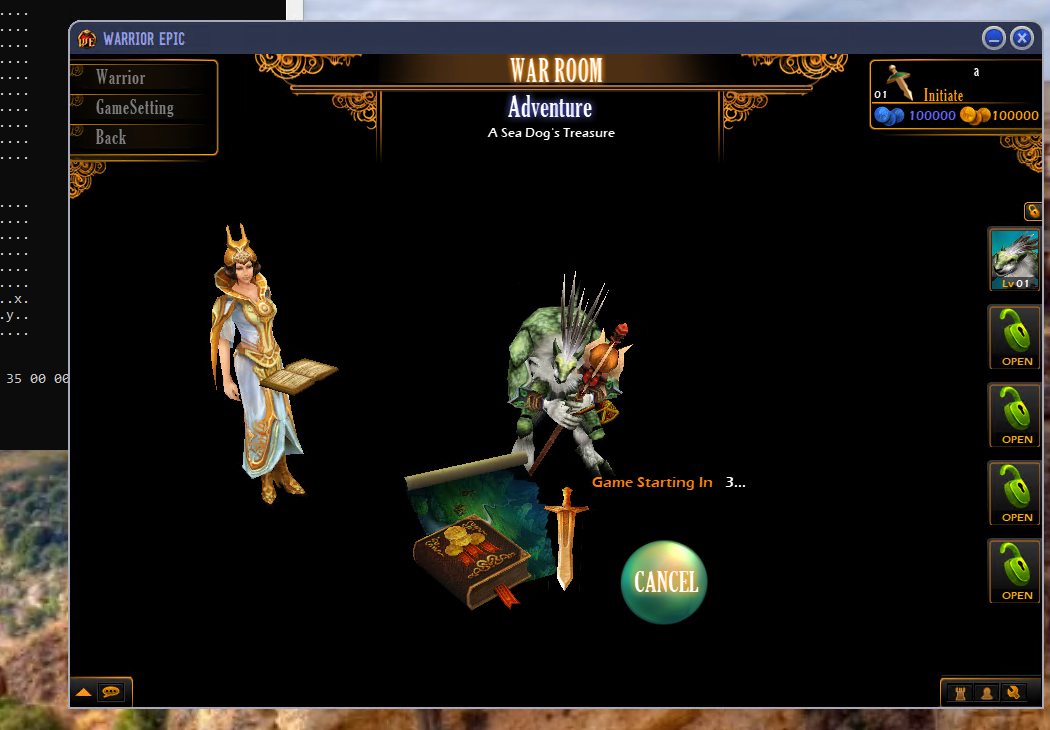
Getting the "match found" notice accepted took three attempts:
- I first sent it on protocol 9. That turned out to be the in-game data channel.
- Protocol 8 produced a framework error.
- Protocol 10 worked, once the result code was right (
107250) and the game server's id sat at the right offset.
The client logged "Match game server, RoomID:200, GameID:1" and sent its first game-server login (0x2002) to server 20. On the other side was nothing.
14. Recruiting warriors and creating a game
From there it went quickly, mostly by following "waiting for data server" messages:
- **Recruit (
ADD_WARRIOR):** the reply needsoperationresultplus the new warrior's fields. The stub now adds the warrior to the roster. - Select warrior, extra character slot: each one is now stored in the save.
- Create Game: a CP CreateRoom answered with a new room id (
0x19e10= success). The client then joins that room.
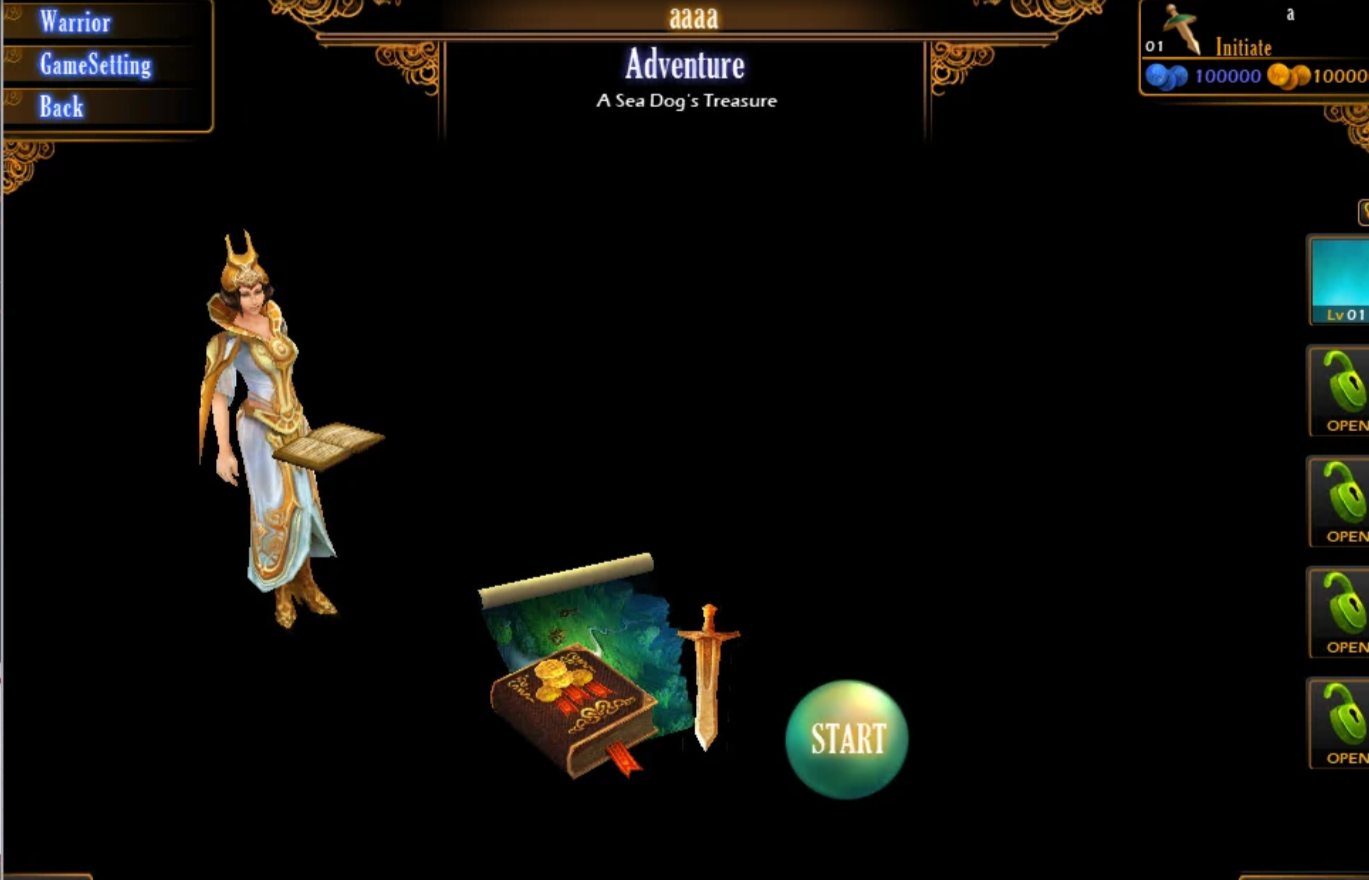
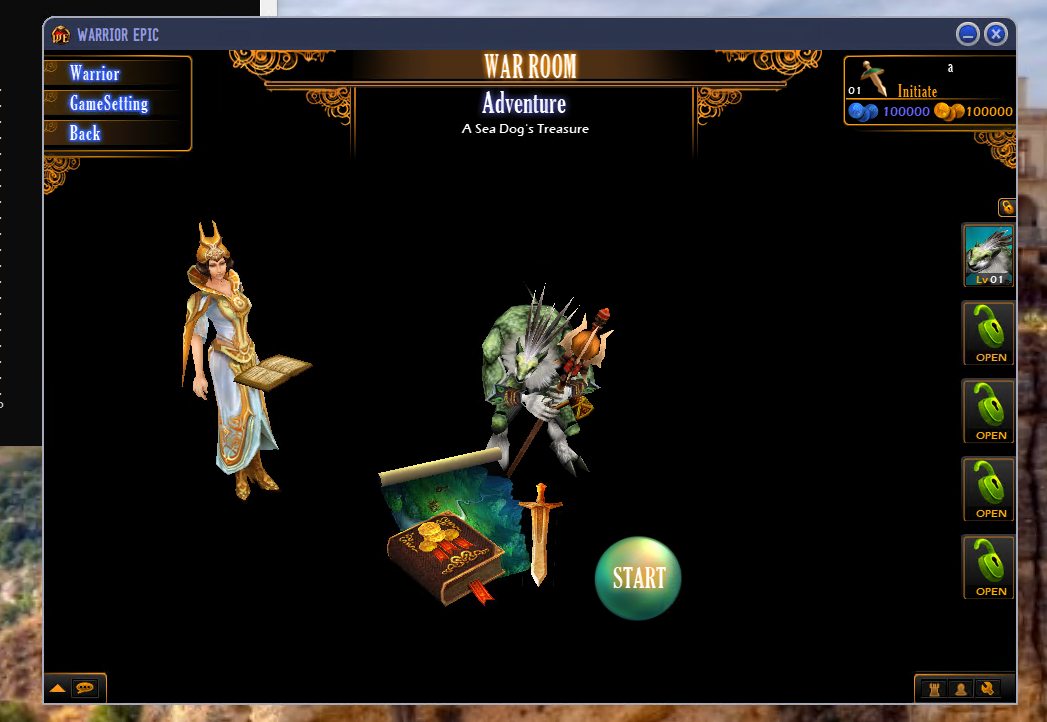
The game room screen came up: my warrior, "Adventure: A Sea Dog's Treasure", and a big START button.
13. The 3D lobby that wouldn't load
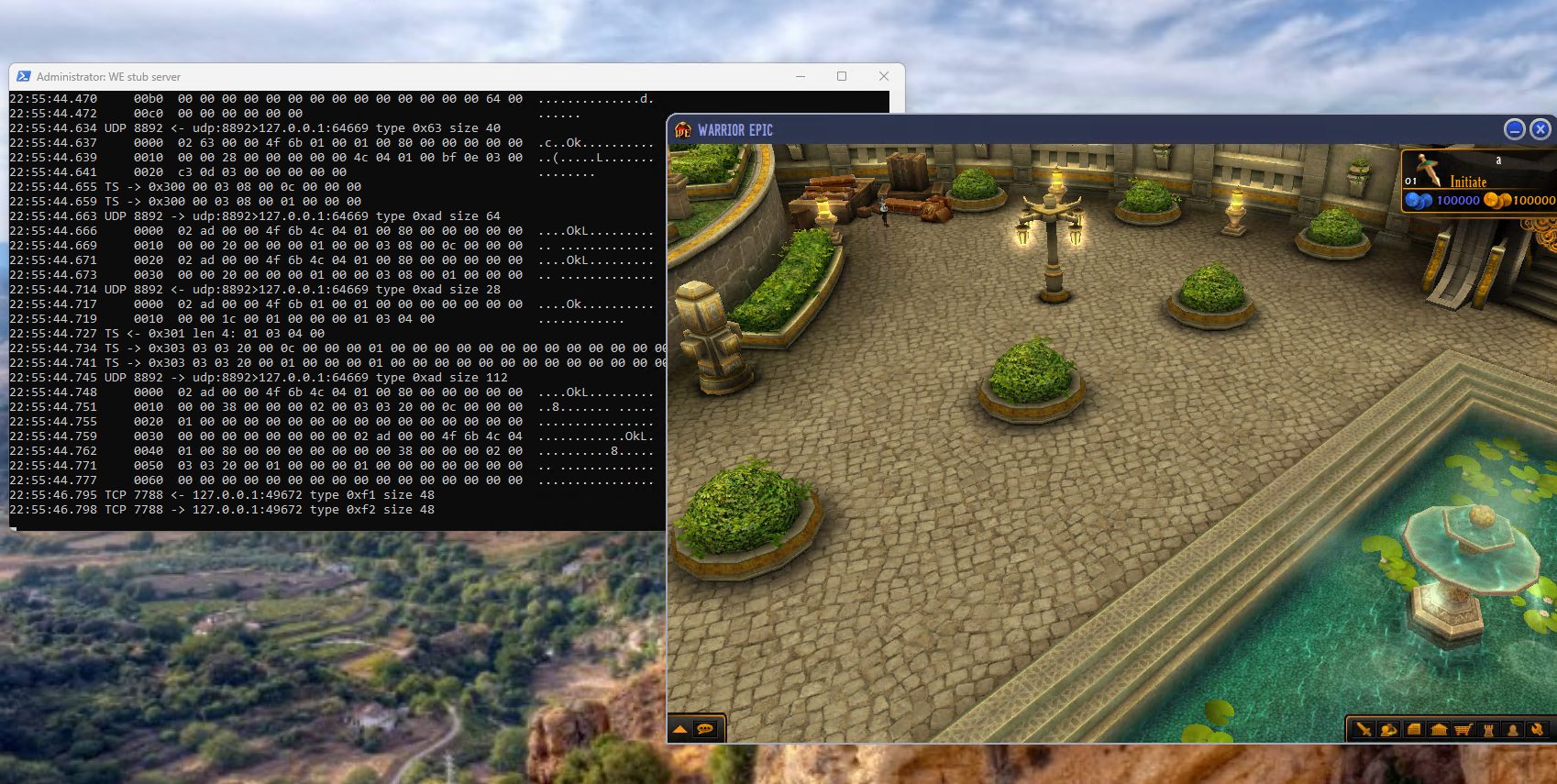
This version of the game puts the lobby in a 3D town plaza (Enable3Dlobby), and that's where games get created. With the flag on, the screen went to the 3D lobby... and stayed on the hall background.
Static tracing got slow here, so I built two small tools that run only inside the sandbox:
- **
bp.ps1:** a breakpoint logger, written in C# inside a PowerShell script on top of the Windows debug API. It attaches to the game, setsint3breakpoints, and for each hit logs the registers and a call stack. It answered in one run questions I'd been guessing at for hours. For example, it showed exactly which UI code made "Play Now" fetch the lobby list. - **
patchmem.ps1:** applies verified in-memory patches to the running process. Nothing on disk changes, and every patch is inCHANGES.md.
The trace showed the 3D world is created on the first entry into the lobby stage, but only loaded on a later call. That later call comes from a town message about a member of a joined lobby room. And joining a lobby room only happens when there is no town address, while the town connection needs one. The two requirements contradict each other.
What worked was two tiny in-memory patches:
- load the world on the first entry;
- make Join always do the real lobby join.
With those, plus tsaddress back in, the plaza rendered, complete with fountain, HUD, my name and gold.
12. The town server and a config line that cost me hours
The town server speaks a small binary protocol with message ids 0x300–0x30f. The first breakthrough: the server has to speak first. When I send 0x300 ("player entered") with the client's own id, it answers 0x301. That id is 12, read from its session PSUID; I found it by reading the client's memory from a dump.
The puzzling part was why Join never sent a "join room" request to the chat server. The answer was a line I'd added myself on day one: tsaddress in DebugConfig. With a town address configured, Join takes a developer shortcut and connects straight to the town server, skipping the normal lobby join. Once I removed the line, Join sent a proper CP JoinRoom. I decoded the reply (0x19e1a = success) and the client logged "Join Room Return".
11. Finding a lobby
Play Now opened a "Choose a Lobby" box with a world map and nothing on it. Join did nothing. Several fixes stacked up:
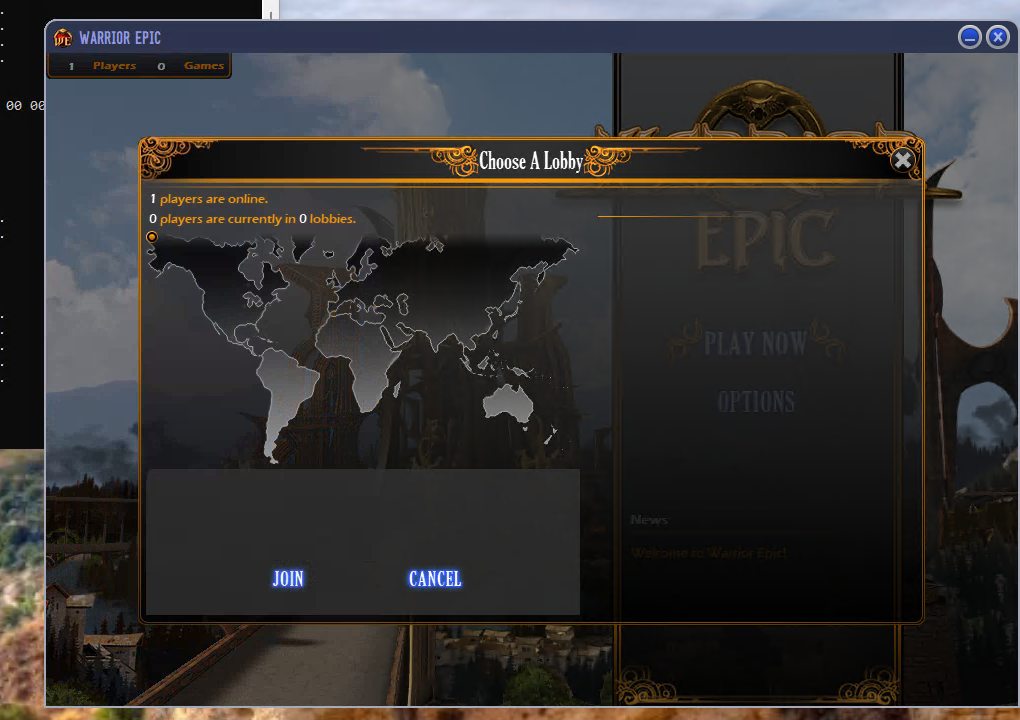
- QuerySysInfo: the box asks the IS for player and lobby counts. I answered it.
- Area list: the chat server sends an area tree: regions shown as map markers, lobbies under them. A region only gets a marker if its name matches an entry in
UI\ServerList.txt, so I named mine "USA". - Ordering: the client asks for a region's children before its request for the full tree has been answered, then logs "Can Not Find Area". Now I always send the tree first.
- Two message routes: some requests come as IS message
0x0e, "send to this server by id", instead of the usual relay. Both now go through the same reply code. - Room list: clicking the region asks for rooms, and I answer with one 0x60-byte record, "Lobby 1".
The marker appeared, the lobby appeared, and Join... connected to a town server and then nothing.
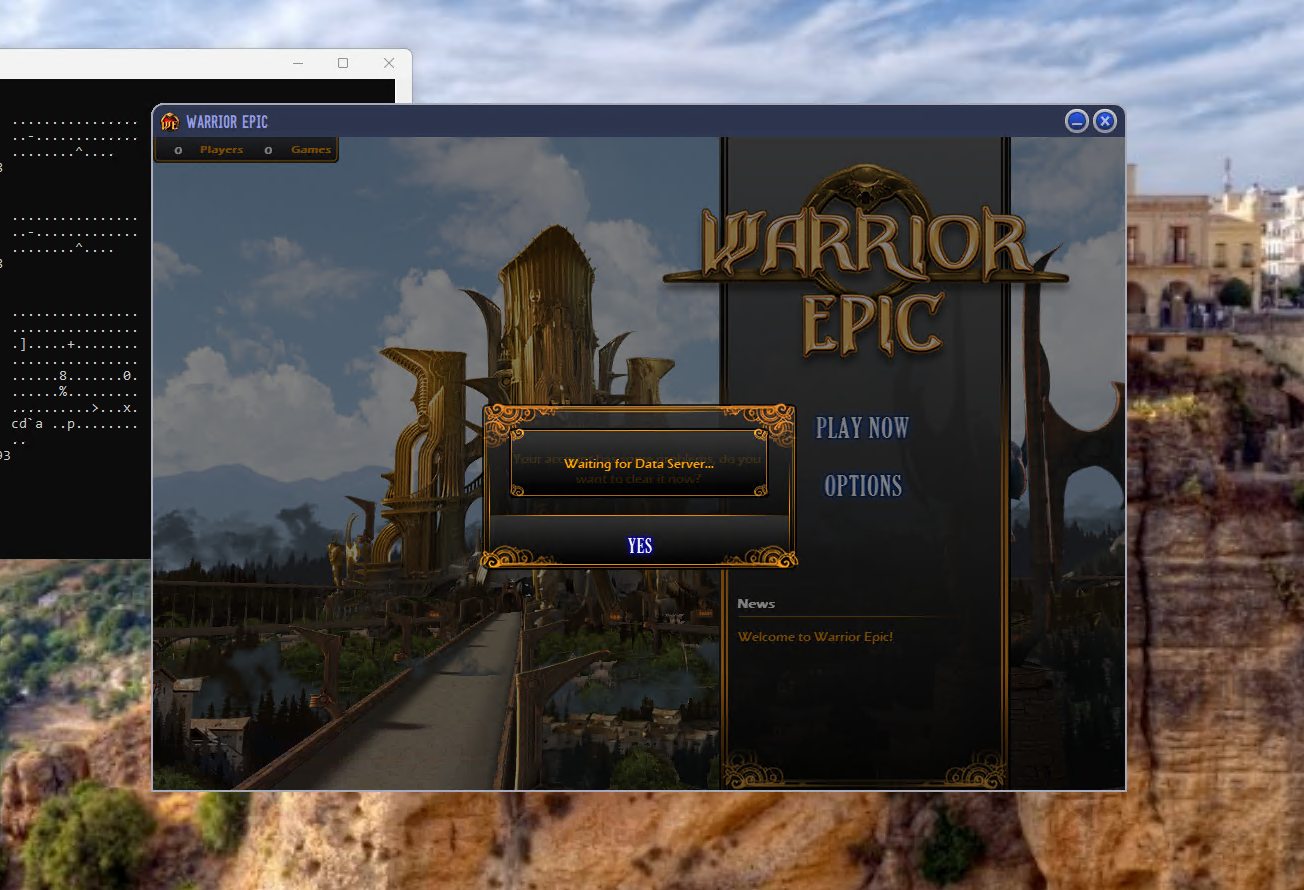
10. The data server: "Waiting for data server"
The hall then sat on "Waiting for data server". This server speaks a different language. Each payload is a PSP-compressed UTF-16 text document:
USD|C|66A6FB30
QUE|gamemoney|
QUE|warriors|
The first line is a header whose last field is the address of the client's callback, which I have to echo back. The rest are operations: RED, DEF, APD, DEL, UPD and QUE. Getting the replies right took a lot of tries:
- RED vs DEF: I first answered with
REDlines and every value stayed 0. RED takes a reference, while DEF parses the typed value (DWD:100000). With DEF, my 100,000 gold showed up. - **
#keys:** sendingwarriors#(an array count) made the client drop the whole reply without a word. That key is only legal after the array exists. - A checksum bug: my adler32 overflowed a 32-bit integer in PowerShell, so the zlib streams were corrupt. Doing the maths in 64-bit fixed it.
- Arrays: the working pattern is
DEF|warriors|#STT:to declare the array, thenAPD|warriors|1to append one element, thenDEF|warriors[0].nickname|STR:aand so on for its fields. - "Invalid character ID(8)": I first gave my warrior id 8 (the pitfighter in
gamedatabase.cfg). The game database wants a full object id,type<<24 | variant<<12 | index, so the pitfighter is0x01000008.
After that the hall loaded with a character, and the "Play Now" button lit up.
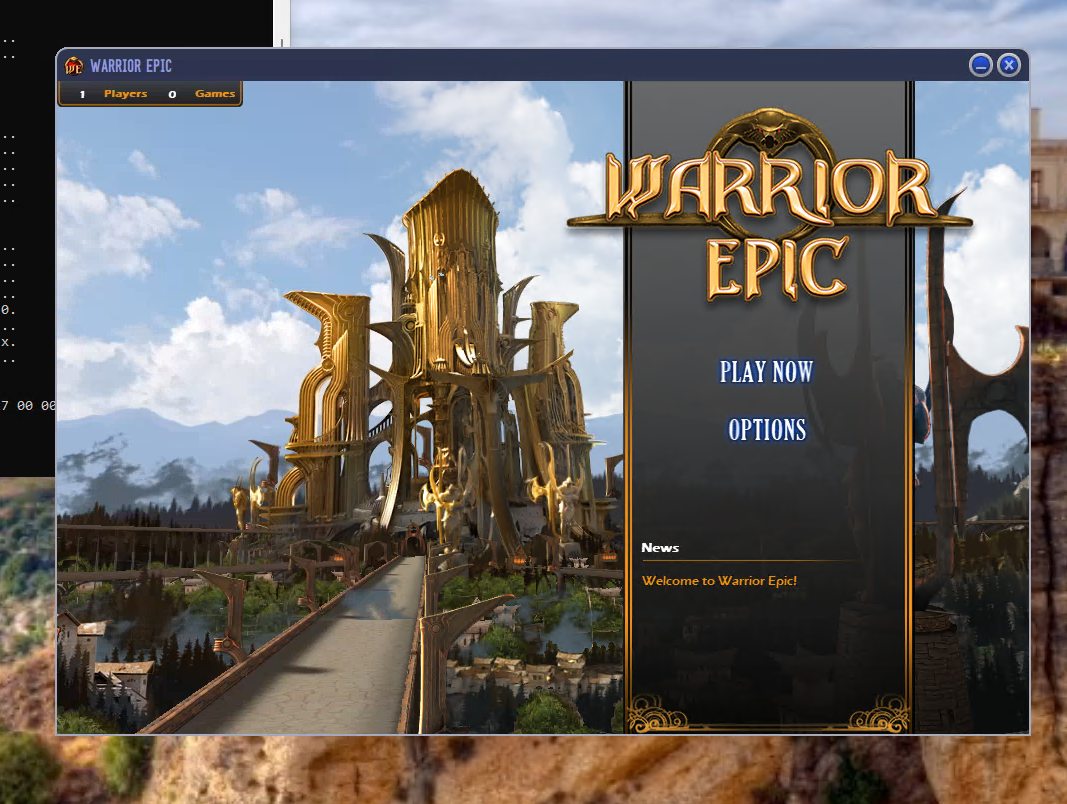
9. "You dropped from the interface server"
A minute later the game kicked me out. Two things caused it:
- UDP reliability: the client's UDP packets are sequenced, and I wasn't acknowledging them. It kept resending, and my logging slowed everything down.
- Pings: pong replies were going out with the wrong session.
The fix was proper acks (0xf3 with a cumulative ack), unsequenced server packets (flag 0x80) and quieter logging.
8. Logging in
The login form appeared. Logging in means:
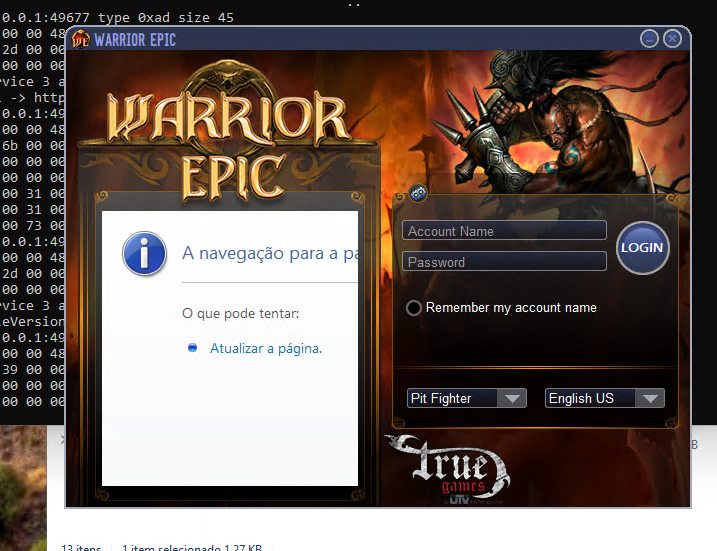
- an AP Validate request routed through the IS to the "account server", answered with
0x1967C(ValidateSucc), an account id and the name; - then, pushed by the "session server", an SP CreateSession response with its own success code.
Both are fixed-layout binary messages that I decoded field by field. After that the shell loaded the game engine and the main hall appeared with music playing.
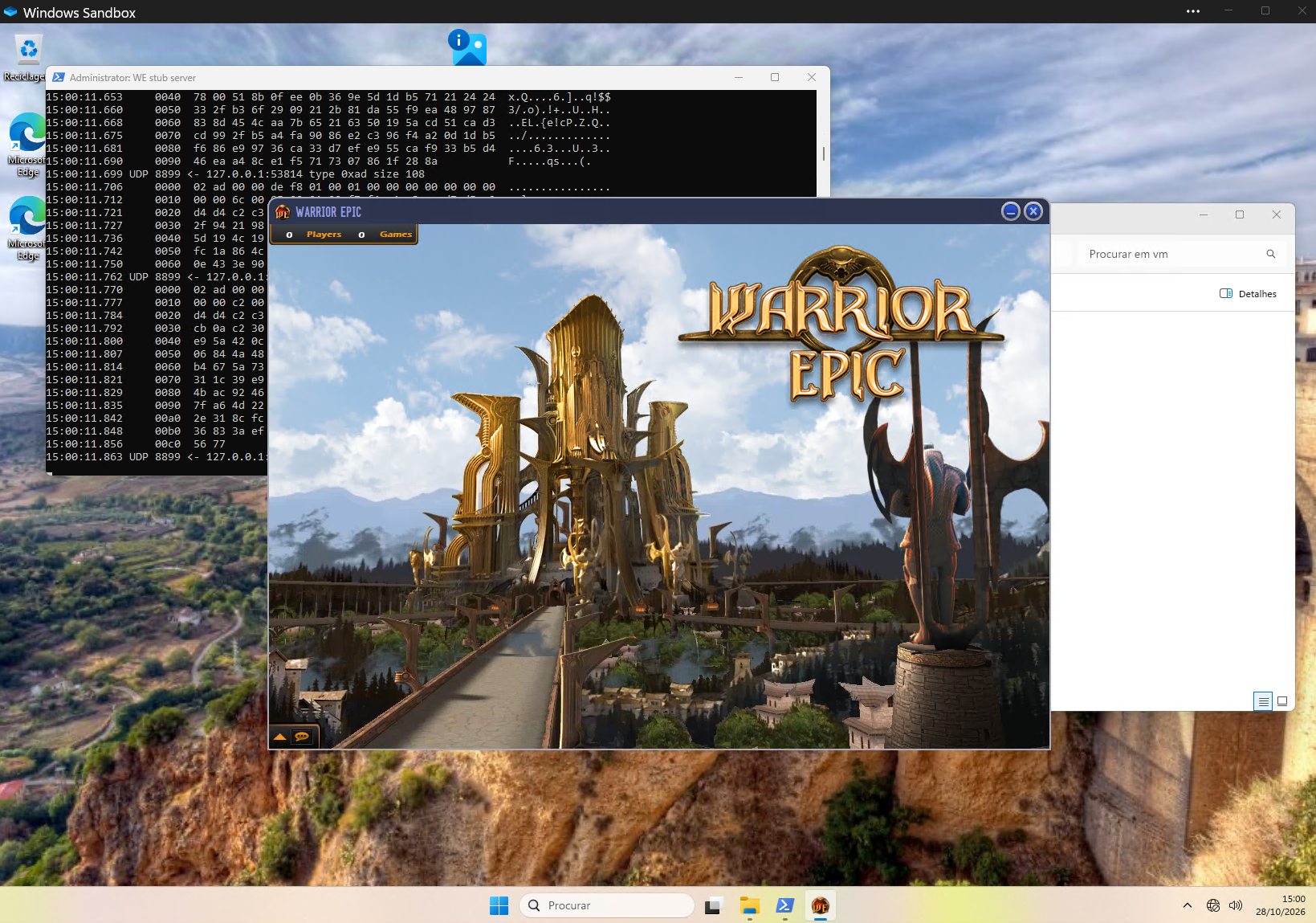
7. Silence in the sandbox
The game then froze before showing anything. A memory dump showed it stuck inside midiOutGetNumDevs. Windows Sandbox's MIDI setup hangs. A small fixaudio.ps1 that starts the MIDI service, or else points the MIDI driver entries at wdmaud.drv, got past it.
6. The patcher wall
Next the shell asked for an "SSD URL" (a patch server). An empty answer blocked startup. A real URL made it hand control to an embedded commercial patcher that wanted a .package file I don't have.
What worked was the one binary patch I accepted at this stage: a 5-byte change in a copy of the shell exe that makes the updater check return "OK". On top of that, keepoldfile true in DebugConfig, because otherwise the shell restored its original exe from the pak.
A red herring along the way: the nologin debug flag sounded perfect. All it does is show a debug message box.
5. PSIP and the Interface Server
Inside the data frames there is a session layer (PSIP: connect request/response, then a wrapper around service messages), and inside that sit the IS messages. With the right result code (103100) the client accepted my "Connect to IS".
Didn't work: the server list. I had read the server-type numbers as plain enums and the client ignored my servers. They are bit flags: AS = 4, MSS = 8, CS = 0x40, and so on. Once the "Synchronize Servers" message used flag values, the client saw an account server, a session server and the rest.
4. Learning the transport (PSDash)
The first packets were 24-byte headers I had to decode one field at a time from the disassembly:
- a version byte;
- a type (
0x62connect,0x63accept,0xaddata,0xf1/0xf2ping/pong,0xf3ack); - a "secret";
- the receiver's session id and connection id;
- flags and total size.
What didn't work: I put my session id in the replies, and the client answered "INVALID PACKET". The header carries the receiver's session, so replies must carry the client's own session, which it sends in its connect payload. On UDP it was trickier still: the header session of a connect is the session being joined (for example 18 for the data server), and the client's own id is in the payload.
Another early mistake: TCP replies sent as several frames glued together. Writing one frame per call fixed it.
3. Redirecting the client
Tried: editing the cached IS list. What worked: DebugConfig.cfg. Its keys isaddress, dsaddress, gsaddress and tsaddress point the client at any server I like, with no binary patch. I set them all to 127.0.0.1.
For the server I wanted the sandbox to need nothing installed, so the first version is a PowerShell script (stub.ps1) that listens on all the ports and logs every packet as hex. The plan was to port it to Python later.
2. Recon: what is actually in the box?
The install is mostly two huge .pak files. They turned out to use a simple custom format, which I called PSP:
- a
PSP\0header; - a run of
USD\0records (name, size, hash, data); - zlib compression behind a fixed 16-byte marker;
- a dictionary at the end.
There was no encryption, which was a relief. I wrote tools/psp.py to list, extract and repack the archives. It has a self-test that repacks a file byte-for-byte. I extracted all ~59,000 files.
Searching strings, I found the message SHELLUI_CONNECTTOIS. IS means Interface Server, the front door of the publisher's server platform. I also found:
- a hard-coded IS address;
- a downloadable IS list;
- a
DebugConfig.cfgfile that the shell reads on startup.
The client DLLs also contain a lot of game logic (dungeons, quests, the game database), plus config files for servers called DataServer, TownServer and GameServer. So the job looked like "emulate the platform services", not "rewrite the game".
1. Ground rules
Before touching anything I set some rules, because this is a 15-year-old online client:
- Never run any game binary on my real machine. All analysis on the host is static: reading files and disassembling them. Everything that runs goes into a folder (
vm\) that I launch inside Windows Sandbox with networking turned off. - The original download is read-only. Modified copies live under
vm\, and every change is logged inCHANGES.md. - Never contact the old servers. The client only ever talks to
127.0.0.1.
This shaped the workflow. All tooling was prepared on the host, where the game never ran. I launched the sandbox, played, and ran a "collect" script that copies the logs back. Later I added scripted, unattended sandbox runs that click through the menus by themselves.
The sandbox setup is a .wsb file that maps the original game folder read-only and the vm\ folder read-write, then runs a start script. The script copies the game to C:\WE, starts my server, and launches the client.